
What is a Kitchen Display System?
Modern restaurants move fast. Orders arrive from the dining room, online ordering platforms, reservations, room service, and delivery services, all at the same time. Keeping every dish on time while maintaining quality has become increasingly difficult.
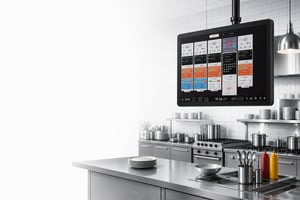
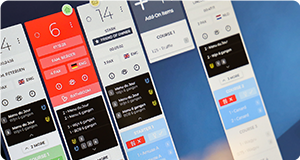
A Kitchen Display System (KDS) replaces traditional paper tickets with digital kitchen screens that organise, prioritise, and track every order in real time. It gives chefs and front-of-house teams one shared view of service, helping restaurants improve communication, reduce mistakes, and deliver a more consistent guest experience.
Whether you're running a neighbourhood restaurant, a Michelin-starred kitchen, or a large hotel operation, a Kitchen Display System has become one of the most important technologies in modern hospitality.
This article is a part of our Kitchen Display Systems Guide. If you are new to the subject or want to learn more, make sure you check out our Ultimate guide to KDS for the modern hospitality.
What is a Kitchen Display System?
A Kitchen Display System (KDS) is digital software that receives orders directly from your Point of Sale (POS) system and displays them on screens throughout the kitchen.
Instead of printing paper tickets, orders appear instantly on dedicated kitchen displays where chefs can:
- View incoming orders
- Prioritise dishes
- Track preparation times
- Mark items as completed
- Coordinate multiple kitchen stations
- Communicate service status with front of house
Because every order exists digitally, everyone works from the same information. Whether you're running a neighbourhood restaurant, a Michelin-starred kitchen, or a large hotel operation, a Kitchen Display System has become one of the most important technologies in modern hospitality.
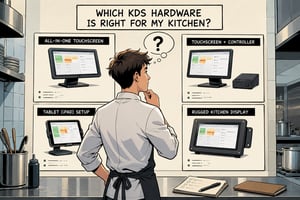
However, a Kitchen Display System is more than just software. As the name already implies, it is a system, and software requires hardware to run on. Depending on your type of kitchen and operation, you might have very specific requirements. Read our article about Kitchen Display Hardware to learn all about important aspects of picking the right hardware for your business.
How does a Kitchen Display System work?
A typical workflow looks like this:
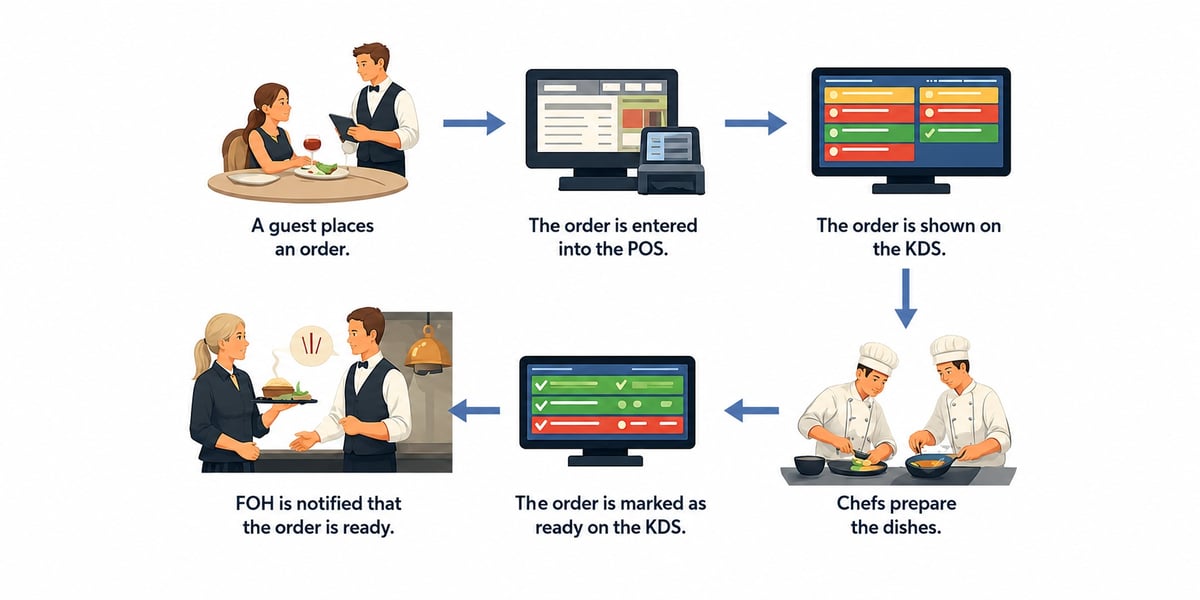
- A guest places an order.
- The order is then entered into the POS, which sends it to the KDS.
- The order appears on the appropriate kitchen station or stations.
- Chefs prepare the dishes.
- Once the dishes are ready, the chefs will mark the items or order as complete.
- Front-of-house staff receive instant updates.
The basic restaurant flow isn't changed. It's modernized. By removing paper and manual communication restaurants can benefit from all the advantages a digital system can bring.
Key Features of a Kitchen Display System
Most likely, you chose your POS carefully based on the features you need. Why wouldn;t that be the same for your KDS? Maybe even more, because a KDS is purely operational. A quickservice concept will most likely have completely different requirements than a fine-dining establishment. You can read more about choosing the right KDS for your business here.
Although features differ between vendors and concepts, most Kitchen Display Systems include:
Why Restaurants Use Kitchen Display Systems.
Restaurants increasingly replace printed tickets because digital workflows offer significant operational advantages. For example, a Kitchen Display System can help restaurants:
- Reduce communication errors
- Improve kitchen organisation
- Speed up service
- Reduce paper usage
- Better guest experience
- Improve timing between courses
- Handle larger service volumes
- Improve staff accountability
- Track kitchen performance
- Less mistakes
Perhaps most importantly, a KDS allows teams to focus on cooking rather than managing paper. Annoncer has a proven track record on improving operations in hotels and restaurants around the globe. Our case studies page has real-world examples and actual, measurable results from businesses that implemented Annoncer.
For example:
-
Restaurant Bomas saves 1 full hour per service and significatly reduced the number of costly errors.
How much does a KDS cost?
The cost of a KDS system can vary depending on several factors, but most of the time the number of screens you plan to use will be the most important factor. The cost will be determined by:
- Number and type of screen.
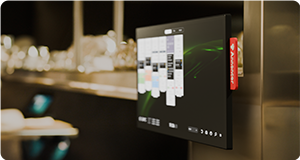
The KDS software needs to run on hardware, so you will need to buy screens to install in your kitchen. The cost of these screens and computing power (most KDS systems will need a computer to run on) can vary immensely. From small tablets to 55" touchscreens with built in PC, the choice you make depends on your needs and the software requirements. a tablet can set you back between 500 to 1000 euro's, an all-in-one touchscreen that is waterproof and can withstand high temperatures can easily set you back between 2000 and 3000 euro's. Read our guide about buying KDS hardware to learn more. - Software license
Running KDS software will most likely require a software license. Generally speaking, there are two types of licenses: purchased or a monthly SAAS. Costs vary between suppliers and POS systems. The cheapest option is usually the KDS module that your POS offers, but as with most things in life, that is often also not the best option. Read more about choosing a KDS system for your restaurant here. - Implementation costs
Unless you are implementing the KDS yourself, most of the times you will need to pay a fee for the implementation of a KDS. This means all the work related to setting up the software and hardware, possibly training in usage and configuration and aftercare or support. This amount can vary hugely depending on the supplier of the KDS. Make sure you are aware of all implementation fees charged before making a choice. -
Infrastructure
A Kitchen Display System requires infrastructure. Most screens will require a power outlet, although more and more devices can use POE, Power over Ethernet. POE is a technique where power is supplied to the device through a network cable. This can be hugely convenient, but it also requires more considerations. Our guide to POE in a kitchen is a must read if you are considering this.Besides power, each device will require network, and a regular cabled connection sis always preferred over WiFi.
Last but not least, don’t forget you will most likely want to mount your screens, instead of using a desktop base. Most screens support the international VESA standard, which makes it quite easy to find a compatible mount. Your KDS supplier will most likely also offer a choice of mounting solutions. Depending on your needs the costs for mounting can vary between a couple of euros for a basic wall mount up to hundreds of euros for specialised solutions like pop-out mounts for recesses. Visit our Mounting Solution page to learn more over the mounts Annoncer has to offer.
Want to learn more?
Everything you need to know about KDS hardware.
Read More
An extensive guide about using PoE in your kitchen.
Read More

Discover how restaurants use Annoncer in practice.
Read More
Explore insights that help you improve performance.
Read MoreFrequently Asked Questions
Have more questions? Explore our complete FAQ page for additional information about Annoncer, integrations, hardware, and support.