


KDS vs Kitchen Printers
For decades, kitchen printers have been the standard way to send orders from the point of sale to the kitchen. They are simple, familiar, and still used in restaurants around the world.
But as hospitality operations become more complex, many restaurants are replacing printed tickets with Kitchen Display Systems, or KDS. For a complete overview of how these systems work, explore our ultimate guide to Kitchen Display Systems.
Both systems can communicate orders to the kitchen, but they work in very different ways. A kitchen printer produces a paper ticket. A KDS turns the order into a live, interactive workflow that can be routed, updated, tracked, and shared across multiple stations.
So which option is right for your business?
What is a kitchen printer?
A kitchen printer receives an order from the POS and prints it on a paper ticket. The ticket is then placed on a rail, handed to a station, or passed between members of the kitchen team.
Kitchen printers are usually thermal or impact printers. Impact printers are commonly used in hot kitchen environments because the printed text remains visible around heat, steam, and grease.
The main advantage of a kitchen printer is simplicity. Once installed, the workflow is easy to understand:
- The order is entered into the POS.
- The printer produces a ticket.
- The kitchen prepares the order.
- The ticket is removed when the order is complete.
For small operations with a simple menu and limited order volume, this can still work effectively.
What is a Kitchen Display System?
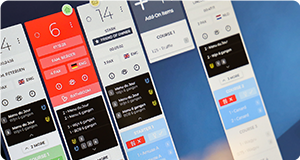
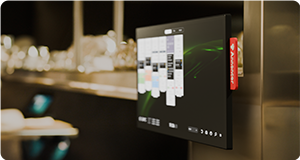
A Kitchen Display System displays incoming orders digitally on one or more screens in the kitchen.
Instead of printing a paper ticket, the POS sends the order directly to the appropriate display. Items can be routed by station, course, preparation type, outlet, or other operational rules.
Kitchen staff can then interact with the order by marking items as started, ready, held, fired, recalled, or completed, depending on the functionality of the KDS.
A basic KDS replaces printed tickets with digital ones. A more advanced system can also help manage:
- Kitchen stations
- Course timing
- Order priorities
- Preparation sequences
- Allergens and dietary requirements
- Guest preferences
- Communication with front of house
- Ticket times
- Kitchen performance
- Multiple restaurants or hotel outlets
This makes a KDS much more than a digital ticket rail. It can become the operational control system for the kitchen.
KDS vs kitchen printers at a glance
| FEATURE | PRINTER | KDS |
|---|---|---|
| Order format | Paper ticket | Digital order |
| Real-time updates | No | Yes |
| Station routing | Basic printer routing | Advanced item and station routing |
| Course management | Manual | Can be automated or controlled digitally |
| Order changes | Requires a new ticket | Can update the existing order |
| Ticket tracking | Manual | Automatic |
| Performance reporting | Limited or unavailable | Often included |
| Allergen visibility | Printed text only | Can be highlighted visually |
| Paper and ink | Required | Not required |
| Hardware cost | Usually lower initially | Usually higher initially |
| Scalability | Limited | Better suited to complex operations |
| Kitchen communication | Mainly verbal and paper-based | Shared digital workflow |
The advantages of kitchen printers
Kitchen printers are not automatically the wrong choice. For some hospitality businesses, they remain a practical solution.
Lower initial investment
A kitchen printer is generally less expensive to purchase than a commercial kitchen display, mounting system, controller, and KDS software subscription.
For a small restaurant with a limited budget, this can make printers easier to implement.
Familiar workflow
Most chefs and kitchen staff already understand how printed tickets work. There is usually little training required, and teams can continue using established routines.
Simple infrastructure
A basic printer setup can be relatively straightforward. It does not require touchscreens, screen layouts, bump bars, or detailed workflow configuration.
Physical tickets
Some kitchens prefer having a physical ticket that can be moved, marked, folded, grouped, or placed next to a preparation area. This can be useful in simple operations where orders do not change after they have been printed.
The limitations of kitchen printers
The simplicity of kitchen printers is also their greatest limitation.
Tickets cannot update themselves
When a guest changes an order, adds an item, or removes a course, the printer produces another ticket. The kitchen must then understand which ticket is current and how it relates to the original order.
During busy service, this can create confusion.
Paper tickets are easy to lose
Tickets can fall from the rail, become wet, get covered in grease, or be removed too early.
Once a ticket is lost, the kitchen may have no clear record of what still needs to be prepared.
Limited visibility
A printed ticket only shows the information printed at that moment. It does not provide a live overview of station workload, delayed items, average ticket times, or the current state of the full service.
More verbal communication
Because paper tickets do not update in real time, kitchen teams often rely on verbal callouts to coordinate timing, changes, priorities, and completed dishes.
This can work in a small kitchen, but it becomes difficult as the number of stations, courses, and orders increases.
Little operational data
A kitchen printer does not usually tell you how long each item took, where delays occurred, or which station became a bottleneck.
Without this information, improving kitchen performance becomes more difficult.
The advantages of a Kitchen Display System
A KDS gives the kitchen a live and shared view of service.
Real-time order updates
Changes made in the POS can be reflected directly on the kitchen screen. This reduces the need for reprinted tickets and helps prevent teams from working from outdated information.
Smarter order routing
Orders can be sent to the right station automatically.
For example:
- Starters can appear in the cold kitchen.
- Meat dishes can appear at the grill.
- Desserts can appear at pastry.
- The full order can remain visible at the pass.
This gives each team member the information they need without filling every station with irrelevant tickets.
Better timing and coordination
A KDS can help kitchens coordinate items that take different amounts of time to prepare.
In fine dining and full-service restaurants, it can also support course-based workflows, helping the kitchen control when dishes should be started, held, plated, and served.
Clearer allergen and guest information
Allergens, dietary requirements, table notes, and guest preferences can be made more visible than they are on a standard printed ticket.
Important information can be highlighted using colours, icons, warnings, or dedicated fields.
Better communication between front and back of house
When an order changes status, front-of-house staff can receive an update without repeatedly asking the kitchen. This reduces interruptions and gives both teams a shared understanding of service progress.
Performance reporting
A KDS can record:
- Preparation times
- Ticket times
- Order completion times
- Station performance
- Delays
- Peak periods
- Recurring bottlenecks
This data can help managers improve workflows, staffing, menu design, and kitchen layout.
Less paper and printer maintenance
A digital system removes the need for ticket rolls, ribbons, printer cleaning, and paper waste. It also eliminates common printer issues such as paper jams, faded text, missing tickets, and noisy printing.
The limitations of a KDS
A KDS is usually more capable than a kitchen printer, but it also requires more planning.
Higher initial cost
Commercial kitchen screens, mounting systems, controllers, network infrastructure, and software can require a larger initial investment. However, the total cost should be considered alongside paper, printer maintenance, operational efficiency, and reduced errors.
Training is required
Teams need to understand how to interact with the screens, update order statuses, recall tickets, and follow the new workflow.A poorly introduced KDS can create frustration, even if the technology itself is strong.
The system must be configured correctly
A KDS should reflect the way the kitchen actually works. Routing rules, screen positions, station layouts, colours, timing logic, and user actions all need to be planned carefully.
Simply replacing a printer with a screen does not automatically improve the operation.
Hardware must suit the kitchen
Consumer tablets and standard office monitors are not always suitable for professional kitchens. Heat, steam, grease, water, cleaning chemicals, and constant use can quickly expose weak hardware. Commercial-grade displays and proper mounting are often worth the investment.
Which system is better for a small restaurant?
A kitchen printer may still be sufficient when:
- The menu is simple.
- The kitchen has one preparation station.
- Order volumes are low.
- Orders rarely change.
- There is little need for reporting.
- The team works comfortably with paper tickets.
A KDS becomes more valuable when:
- Several orders are prepared at the same time.
- The kitchen has multiple stations.
- Orders come from several channels.
- The team needs real-time updates.
- Allergens and guest notes are important.
- Managers want better performance data.
- The business plans to grow.
The decision should not be based only on restaurant size. A small fine dining restaurant may have a more complex service workflow than a much larger quick-service operation.
Which system is better for fine dining?
For fine dining, a KDS usually offers significant advantages over kitchen printers.
Fine dining kitchens must coordinate:
- Multiple courses
- Different preparation times
- Exact firing moments
- Plating sequences
- Allergens and dietary requirements
- Guest preferences
- Table pacing
- Communication with front of house
A printed ticket can communicate what was ordered, but it cannot actively manage the service. An advanced KDS can give the chef and each station a different view of the same table, while keeping the full service synchronized. This makes it easier to maintain control without relying entirely on verbal communication.
Which system is better for hotels?
Hotels often have several food and beverage outlets operating at the same time. A kitchen printer can route orders to different locations, but it provides limited visibility across the wider operation.
A KDS can create a shared workflow across outlets, kitchens, stations, and service teams. This is particularly valuable when several departments use the same kitchen or when managers need an overview of the entire F&B operation.
Can you use a KDS and kitchen printers together?
Yes. A hybrid setup can be useful during a transition or in areas where printed tickets still serve a practical purpose.
For example, a restaurant might use:
- KDS screens at the main kitchen stations.
- A printer for drinks or takeaway labels.
- A backup printer in case of hardware issues.
- Printed production lists for banqueting.
- Labels for packaged orders.
The goal does not have to be removing every printer. It should be creating the most reliable and efficient workflow for each part of the operation.
What should you consider before replacing kitchen printers?
Before moving to a KDS, review the following areas:
Your current workflow
Map how orders currently move from the POS to the kitchen, between stations, and back to front of house. Identify where tickets are delayed, duplicated, lost, or misunderstood.
Your kitchen layout
Decide where screens should be placed and what each station needs to see. A screen should be visible and accessible without obstructing preparation areas.
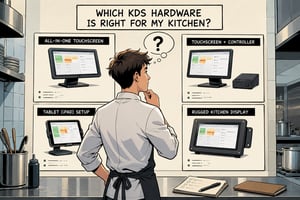
Your hardware requirements
Consider screen size, touchscreen functionality, bump bars, IP ratings, mounting, cable management, and cleaning.
Your network infrastructure
A KDS depends on reliable communication between the POS, server, controller, and displays. Network design is especially important when using Power over Ethernet or operating across multiple outlets. Make sure you read our PoE guide for KDS before considering PoE devices.
Your integrations
Confirm that the KDS works with your POS and any other essential systems, such as reservations, online ordering, delivery, or guest management.
Your service style
The right KDS for a quick-service restaurant may not be suitable for a fine dining restaurant or luxury hotel. Look for a system designed around the way your team actually prepares and serves food.
Kitchen printer or KDS: the final verdict
Kitchen printers remain a simple and affordable way to send orders to the kitchen. For small operations with uncomplicated workflows, they may still be enough. But as service becomes more complex, the limitations of paper become increasingly visible.
A Kitchen Display System provides more control, better communication, real-time updates, smarter routing, and valuable operational data. It does not simply replace the paper ticket. It turns order information into a live workflow shared across the kitchen and front of house. The best choice depends on your operation, but for restaurants and hotels that need greater accuracy, visibility, and control, a KDS is usually the more future-proof solution.
Want to learn more?
Everything you need to know about KDS hardware.
Read More
An extensive guide about using PoE in your kitchen.
Read More
Discover how restaurants use Annoncer in practice.
Read More
Explore insights that help you improve performance.
Read More