

Choosing a KDS for quick service restaurants
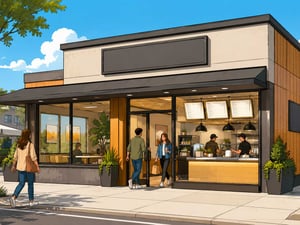
Quick-service restaurants are built around speed, consistency, and volume. During a busy service, even a small delay can quickly lead to longer queues, incorrect orders, frustrated guests, and unnecessary pressure in the kitchen.
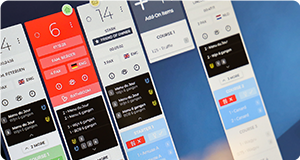
A Kitchen Display System (KDS) helps bring structure to this environment. It replaces paper tickets with digital order screens and gives kitchen teams a clear, real-time overview of what needs to be prepared. But not every KDS is equally suitable for quick service.
In this guide, we explain what to consider when choosing a KDS for a quick-service restaurant and which features can make the biggest difference to your operation.
Why quick-service restaurants need a specialised KDS
Quick-service kitchens often process hundreds of orders across several ordering channels. Guests may order at the counter, through a self-service kiosk, via a mobile app, or through a delivery platform.
All these orders eventually arrive in the same kitchen.
Without a central system, it becomes difficult to maintain the correct order sequence, coordinate preparation, and keep waiting times under control. A KDS brings these orders together and distributes them to the appropriate preparation stations.
If you are still exploring the basics, visit our everything you need to know about Kitchen Display Systems-page, which contains guides on how Kitchen Display Systems work and how they support modern hospitality operations.
The most important KDS features for quick service
The right KDS should do more than display orders. It should actively help your team manage volume, maintain speed, and deliver consistent results.
1. Good Omni-channel support
Quickservice restaurants nowadays have many channels injecting orders into your Point of Sale. Kiosks, On-line ordering, Mobile apps, orders are coming from everywhere and you will want to make sure your KDS not only handles them, but also is able to route the order based on the channel. Furthermore, you might want to use sticky label printers for box labels, so the KDS must be able to support these type of take away functionalities.
Online orders also often have a promise time associated with them. You want to make sure this promise time is visible on the Kitchen screen. You might even want the system to reprioritise orders based on channel or promise time. Last but not least, make sure you consider capacity management. With online ordering becoming more and more important, you might end up in a situation where your kitchen simply doesn't have the capacity. Although it might sound like a luxury problem, it is still an actual operational challenge and you don't want online reviews to turn sour because you accepted too many orders. Capacity management might be managed in your POS, your online order platform and\or your KDS.
2. Intelligent order routing
Not every item needs to appear on every screen.
Burgers may be routed to the grill, fries to the fryer, and drinks to the service counter. Intelligent routing gives each station a focused view of the items that need to be prepared there. This reduces screen clutter and helps team members concentrate on their own responsibilities. At the same time, an overview or expediter screen can bring all items back together before the complete order is handed to the guest.
Look for a KDS that allows you to configure routing based on:
- Product or menu category
- Preparation station
- Order type
- Restaurant location
- Time of day
- Eat-in, takeaway, drive-through, or delivery
3. Clear prioritisation
Quick-service teams need to know which order to prepare next without stopping to interpret the screen.
A good KDS makes priorities immediately visible. It can distinguish between new, active, delayed, and urgent orders using clear visual indicators. Orders should also be organised according to rules that match your operation, such as order time, collection time, or service channel.
Be cautious of systems that simply display orders in the sequence they arrive. A delivery order scheduled for collection in 15 minutes may require a different priority from a guest already waiting at the counter.
4. Real-time timing information
Speed cannot be managed without visibility.
A KDS should show how long each order has been waiting and use colour changes or notifications to highlight delays. More advanced systems can measure preparation time by station, product, order type, or period.
These insights can help managers answer practical questions:
- Where do delays usually occur?
- Which products consistently take longer to prepare?
- Are delivery orders affecting counter service?
- At what times does the kitchen need additional capacity?
- Are target preparation times being achieved?
The goal is not simply to make the team work faster. It is to identify bottlenecks and create a more predictable flow.
5. Support for high order volumes
A system that performs well with ten open orders may become difficult to use when the kitchen suddenly receives fifty.
Ask the supplier to demonstrate the KDS under realistic peak conditions. Screens should remain readable, responsive, and logically organised when order volume increases.
Pay particular attention to:
- The number of orders visible at once
- How orders continue across multiple screens or pages
- Whether urgent information remains visible
- How easily employees can find or recall an order
- Whether the system can handle sudden peaks without slowing down
A demonstration using realistic order data is much more valuable than one with only a few simple tickets. Also check for optimised screen layouts. Item Summaries can be extremely valuable when handling large volumes. This can be done in many shapes or forms, but being able to see how many portions of fries you should currently have cooking, or how many burger patties should be on the grill will help you keep control over your diner rush.
6. Easy operation for kitchen teams
Quick-service restaurants frequently work with large teams, changing shifts, seasonal employees, and relatively short onboarding periods. The KDS must therefore be easy to understand.
Common actions, such as starting, completing, recalling, or transferring an order, should require minimal training. Information needs to be visible from a distance, and buttons should be large enough to use accurately during a busy service.
If employees need to navigate complicated menus to perform routine actions, the system is likely to slow them down.
7. Reliable kitchen hardware
A KDS is only as dependable as the hardware running it.
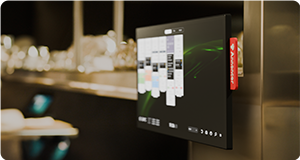
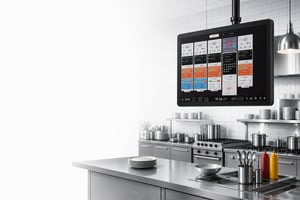
Kitchen screens may be exposed to heat, grease, moisture, steam, and frequent cleaning. Consumer tablets and monitors are rarely designed for these conditions. Professional hardware may require a larger initial investment, but it usually offers better reliability and a longer working life.
Consider:
- Screen size and viewing distance
- Brightness and readability
- Resistance to heat, moisture, dust, and grease
- Touchscreen or bump-bar operation
- Mounting options
- Cable placement
- Cleaning requirements
- Availability of replacement hardware
Also consider where screens will be installed. Poor positioning can create reflections, obstruct movement, or make important information difficult to see.
8. Reliable performance when something goes wrong
A KDS becomes a critical part of your kitchen infrastructure. If it stops working during the lunch rush, the impact is immediate.
Ask potential suppliers how the system handles network interruptions, unavailable integrations, screen failures, and other disruptions. The KDS should provide clear warnings and, where possible, continue operating temporarily if the connection to an external service is lost.
You should also understand:
- Whether monitoring is included
- How quickly support is available
- Whether remote assistance is possible
- How software updates are managed
- Whether spare hardware can be supplied quickly
- What fallback procedure is recommended
For restaurants operating outside standard office hours, support availability should match the hours in which the system is actually used.
Consider the complete order journey
When evaluating a KDS, it is tempting to focus only on what appears on the kitchen screen. A better approach is to follow an order through the entire restaurant.
A typical quick-service journey could look like this:
- A guest places an order at a kiosk.
- The POS processes the order.
- The KDS routes each item to the correct station.
- Employees prepare the different components.
- An expediter confirms that the order is complete.
- The collection screen or ordering channel is updated.
- The order is handed to the guest.
Every transition should be clear and automatic. If employees still need to shout across the kitchen, check several unrelated screens, or manually tell front-of-house staff that an order is ready, part of the workflow remains disconnected.
Reporting and performance insights
A KDS can provide valuable operational data, but the amount of data alone is not what matters. Reports should help you make better decisions.
Useful quick-service metrics may include:
- Average preparation time
- Order completion time
- Performance by station
- Number of delayed orders
- Peak periods
- Preparation time by menu item
- Performance by service channel
- Recalled or corrected orders
Before choosing a system, ask how these metrics are calculated. A dashboard may look impressive while offering little practical insight into why delays occur or how they can be prevented.
Scalability for multiple locations
If you operate several restaurants or plan to expand, consider how the KDS will scale.
Ideally, you should be able to manage menus, workflows, users, timing targets, and screen configurations centrally while still allowing for differences between locations. Managers should also be able to compare performance without combining data manually.
Ask whether new locations can be configured from an existing template and whether changes can be introduced across the organisation without updating every screen individually.
Questions to ask during a KDS demonstration
A product demonstration should reflect your real operation. Provide the supplier with examples of your menu, preparation stations, order channels, and busiest periods.
Useful questions include:
- How does the system handle modifiers and special requests?
- Can different order channels have different priorities?
- What happens when an item is completed too early?
- Can an employee recall an order after it has been cleared?
- How are delayed items highlighted?
- Can orders be moved between stations?
- How does the expediter know when every item is ready?
- What happens during a network interruption?
- Which reports are included?
- Can the configuration be changed without technical support?
- What support is available during evenings and weekends?
The best KDS is not necessarily the system with the longest feature list. It is the one that fits your kitchen workflow and remains easy to use during the busiest part of the day.
Common mistakes when choosing a quick-service KDS
One common mistake is selecting a KDS based mainly on price. Software costs are important, but they should be considered alongside hardware, installation, integration, support, maintenance, and the operational cost of downtime.
Other mistakes include:
- Choosing consumer hardware for a demanding kitchen
- Underestimating the importance of order routing
- Testing the system only with low order volumes
- Ignoring delivery and online-order workflows
- Focusing on features without considering usability
- Installing screens without involving kitchen employees
- Assuming every POS integration offers the same functionality
- Failing to plan a fallback process
A KDS affects the daily work of the entire team. Chefs, restaurant managers, operations staff, and IT should therefore all be involved in the selection process.
Choosing the right KDS partner
The supplier matters just as much as the technology.
A good KDS partner should take the time to understand your menu, kitchen layout, service channels, and operational goals. They should be able to help with workflow design, integration, hardware selection, installation, training, and ongoing support.
Look beyond the initial demonstration. Ask for examples of comparable quick-service installations and speak with existing customers where possible. A successful implementation depends on how well the system is configured for your restaurant, not only on what the software can do.
From speed to control
For a quick-service restaurant, speed is essential. But sustainable speed does not come from asking employees to work harder. It comes from giving them clear information, removing unnecessary actions, and coordinating every preparation station around the same order flow.
The right Kitchen Display System helps transform a busy kitchen from a collection of separate stations into one connected operation. Orders move more predictably, bottlenecks become visible, and teams gain the control they need to deliver fast, consistent service.
Want to learn more?
The ultimate guide to Kitchen Display Systems for restaurants and hotels.
Read More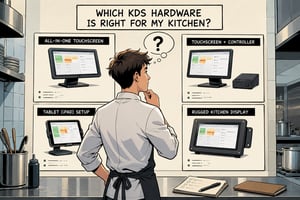
Everything you need to know about KDS hardware.
Read More
An extensive guide about using PoE in your kitchen.
Read More
Explore insights that help you improve performance.
Read MoreFrequently Asked Questions
Have more questions? Explore our complete FAQ page for additional information about Annoncer, integrations, hardware, and support.