

Choosing a KDS for hotels
Hotel food and beverage operations rarely revolve around a single kitchen or service style. One property may serve breakfast in the restaurant, lunch on the terrace, drinks at the pool, dinner in a fine dining outlet, banquets in several event spaces, and room-service orders around the clock.
All these orders may pass through shared kitchens, specialist preparation stations, or separate production areas. Without a clear overview, it becomes difficult to prioritise work, coordinate departments, and ensure that every order reaches the correct guest or location at the right time.
A Kitchen Display System (KDS) can bring these workflows together. However, a system designed for a single restaurant may not be able to manage the scale and complexity of a hotel.
In this guide, we explain what to consider when choosing a KDS for a hotel food and beverage operation.
Why hotels need a specialised KDS
In a restaurant, most orders follow a relatively predictable route from the dining room to the kitchen and back. In a hotel, orders can originate from many different locations and systems.
These may include:
- Hotel restaurants
- Bars and lounges
- Room service
- Breakfast service
- Banqueting and events
- Poolside or terrace service
- Conference rooms
- Executive lounges
- Mobile or QR ordering
- Self-service kiosks
- Staff restaurants
Some outlets operate independently, while others share the same kitchen. Orders can be required immediately, scheduled for a specific time, or connected to an event serving hundreds of guests.
A hotel KDS must provide a central overview while still giving every kitchen section and outlet the information relevant to its responsibilities.
If you are still exploring the basics, visit our everything you need to know about Kitchen Display Systems-page, which contains guides on how Kitchen Display Systems work and how they support modern hospitality operations.
The most important KDS features for hotels
The right KDS should help the entire food and beverage operation work as one connected system. It must support multiple outlets and service styles without making the workflow unnecessarily complicated for individual employees.
1. Support for multiple outlets
A hotel may operate several restaurants, bars, and service areas, each with its own menu, opening hours, preparation stations, and service standards.
The KDS should be able to distinguish clearly between these outlets. At the same time, management needs an overview of the complete property.
Look for a system that can organise orders by:
- Restaurant or outlet
- Kitchen or production area
- Preparation station
- Floor or building
- Order channel
- Service type
- Meal period
- Immediate or scheduled preparation
The structure should be flexible enough to reflect how your hotel actually operates. A city hotel with one central kitchen has different requirements from a resort with several restaurants spread across a large property.
2. Intelligent order routing
Orders must reach the right kitchen and preparation station automatically.
A room-service breakfast may need to be divided between the hot kitchen, pastry section, and beverage station. A poolside order might go to a dedicated production area, while a banquet order may be routed to the main kitchen.
Intelligent routing prevents every order from appearing on every screen. This reduces unnecessary information and allows employees to focus on their own work.
Routing rules may be based on:
- Outlet
- Menu item
- Product category
- Preparation station
- Guest location
- Order type
- Time of day
- Delivery or collection point
The KDS should also maintain a complete overview for the chef, expediter, or service coordinator responsible for bringing the order together.
3. Room-service management
Room service creates a very different workflow from restaurant service. Orders must be prepared, checked, assembled, and delivered to a specific room, often at a requested time.
The KDS should clearly display:
- Room number
- Guest name, where appropriate
- Number of guests
- Order time
- Requested delivery time
- Special instructions
- Dietary requirements
- Preparation status
- Delivery or collection status
Scheduled orders are particularly important. A breakfast ordered the previous evening should not be treated in the same way as an immediate late-night order.
The system should help the kitchen prepare at the correct time and give room-service employees enough visibility to coordinate delivery.
4. Scheduled and pre-orders
Hotels regularly work with orders known in advance. These may include room-service breakfasts, group lunches, meeting refreshments, private dinners, and event catering.
A KDS should distinguish between orders that need immediate attention and those scheduled for later. Employees should be able to see upcoming demand without future orders overcrowding the live production screens.
Ask whether the system can:
- Accept orders in advance
- Display the requested preparation or delivery time
- Release orders automatically at the correct moment
- Allow authorised employees to adjust timings
- Highlight overdue scheduled orders
- Separate upcoming work from active preparation
This supports better planning and helps prevent scheduled orders from being forgotten during a busy service.
5. Banqueting and event support
Banqueting requires the kitchen to coordinate large volumes of food around fixed service times. Unlike individual restaurant orders, banquet production may involve preparing the same course for dozens or hundreds of guests at once.
The KDS should support the information needed for this type of service, including:
- Event name
- Function room
- Number of guests
- Service time
- Menu and courses
- Dietary variations
- Preparation quantities
- Production notes
- Changes to the final guest count
Depending on the hotel, banquet production may need to be managed separately from live restaurant orders while still sharing kitchen capacity.
During a demonstration, ask the supplier to show how the system handles simultaneous restaurant, room-service, and event demand. This is a much more realistic test than viewing each workflow separately.
6. Course and table management
Hotels with full-service or fine dining restaurants need more than simple order timers. The KDS should support tables, courses, hold-and-fire instructions, seat positions, and coordination between kitchen sections.
The system may need to support very different workflows within the same property. A lobby bar might prioritise speed, while the hotel restaurant requires careful course pacing.
Look for flexibility rather than a single standard workflow applied to every outlet.
7. Clear priority management
A hotel kitchen may receive a restaurant starter, a room-service order, a poolside snack, and an urgent banquet request at the same time. The team needs to understand which work should take priority.
The KDS should present priorities clearly and allow them to be based on more than the time at which an order was placed.
Relevant factors may include:
- Requested delivery time
- Current waiting time
- Service channel
- Course status
- Event schedule
- Guest location
- Preparation requirements
- VIP or operational priority
Priority rules should be transparent. Kitchen employees should understand why an order requires attention without needing to interpret several different systems.
8. Allergy and dietary information
Hotels serve a broad and international guest population, often across several meals and outlets during the same stay. Dietary information must remain visible and accurate throughout the operation.
A KDS should be able to display:
- Allergies
- Intolerances
- Dietary preferences
- Ingredient exclusions
- Religious or cultural dietary requirements
- Cross-contamination warnings
- Guest-specific preparation notes
Critical information should follow the order to every relevant preparation station. A dietary requirement entered for a banquet guest or room-service order must not disappear when the order is divided between different kitchen sections.
The KDS can improve visibility, but it must be supported by proper allergen procedures, verification, and staff training.
9. Integration with hotel systems
A hotel KDS may need to exchange information with several systems, including:
- Point of Sale systems
- Property Management Systems
- Room-service ordering platforms
- Mobile and QR ordering tools
- Reservation systems
- Banqueting or event-management software
- Guest applications
- Delivery or collection screens
- Reporting platforms
The term “integration” can cover anything from basic order transmission to a complete two-way exchange of statuses and guest information. Ask suppliers to explain exactly what data is shared.
Important questions include:
- Are room numbers and guest names transferred correctly?
- Are scheduled delivery times included?
- Can orders from multiple POS systems be combined?
- Do order-status updates return to the originating system?
- How are changes and cancellations handled?
- What happens when an integration is temporarily unavailable?
- Can outlet, package, or meal-plan information be displayed?
The quality and reliability of these connections are often more important than the number of integrations listed on a supplier’s website.
10. Central oversight with local control
Hotel management needs property-wide visibility, but individual kitchens and outlets should not be overwhelmed with information from the entire operation.
A suitable KDS should provide different views for different responsibilities:
- Station employees see their own preparation items
- Outlet managers see the complete service for their outlet
- Executive chefs see demand across all kitchens
- Food and beverage managers see property-wide performance
- Central management compares performance across multiple hotels
User permissions should also determine who can change routing, menu configuration, timing targets, and other operational settings.
This balance between central oversight and local control becomes especially important for hotel groups.
Consider the complete order journey
When evaluating a KDS, follow several realistic orders through your hotel from beginning to end.
A room-service order might follow this journey:
- A guest places an order through the hotel app or by telephone.
- The POS sends the order to the KDS.
- Items are routed to the appropriate preparation stations.
- The kitchen prepares each part of the order.
- The room-service station assembles and checks the complete order.
- An employee collects the tray or trolley.
- The order is delivered to the correct room.
- Its final status is recorded.
A banquet order follows a different route:
- The event and menu are planned in advance.
- The final guest count and dietary requirements are confirmed.
- The kitchen sees the upcoming production requirements.
- Preparation is divided between the relevant sections.
- The chef coordinates each course around the event schedule.
- Service employees are notified when the course is ready.
- The next course progresses according to the agreed timing.
A hotel KDS should support both workflows without forcing them into the same structure.
Reporting across outlets and service types
A hotel KDS can provide valuable operational insights across the food and beverage department.
Useful metrics may include:
- Average preparation time
- Room-service delivery performance
- Delayed or overdue orders
- Order volume by outlet
- Performance by kitchen section
- Demand by time of day
- Preparation time by menu item
- Volume by ordering channel
- Banquet production performance
- Cancelled or recalled orders
Reports should be filterable. Combining all food and beverage orders into a single average can hide important differences between outlets and service types.
For example, a 25-minute room-service order and a 25-minute restaurant main course do not represent the same operational result. The system should allow each workflow to be measured against an appropriate target.
Hardware for different hotel environments
Not every hotel screen is installed in the same conditions.
Main kitchen hardware may need to withstand heat, grease, steam, moisture, and frequent cleaning. A room-service assembly screen may need a large, detailed overview, while a bar or lounge may have limited mounting space.
Consider:
- Screen size and viewing distance
- Brightness and viewing angles
- Touchscreen or bump-bar operation
- Resistance to moisture, heat, dust, and grease
- Mounting and positioning
- Cable management
- Network connectivity
- Cleaning requirements
- Availability of replacement devices
- Appearance in guest-visible areas
For large resorts or historic buildings, network coverage and cable routes can be as important as the screens themselves. The supplier should assess the physical environment before installation.
Reliability and 24-hour support
Many hotels operate continuously. Even when restaurants are closed, room service, breakfast preparation, or event production may still be active.
The KDS must therefore be reliable beyond standard business hours.
Ask potential suppliers:
- What support is available overnight and at weekends?
- Is the system monitored remotely?
- What happens if the internet or local network fails?
- Can orders continue to be processed during an interruption?
- How are integration errors communicated?
- How quickly can replacement hardware be supplied?
- How are updates scheduled across different outlets?
- Is there a documented fallback procedure?
Support arrangements should match the operating hours and service expectations of the property.
Scalability for hotel groups
For hotel groups, central management and standardisation become especially important.
The KDS should make it possible to share configurations and reporting standards while accommodating differences between properties. A resort, airport hotel, and boutique city hotel may all require different workflows.
Look for features that allow you to:
- Manage multiple properties centrally
- Compare performance across hotels
- Apply standard outlet templates
- Maintain local menus and routing rules
- Control user permissions
- Introduce configuration changes safely
- Separate data by property, region, or brand
A scalable KDS should provide consistency without removing the flexibility individual properties need.
Questions to ask during a KDS demonstration
A hotel KDS demonstration should include several outlets operating at the same time.
Ask the supplier to demonstrate a realistic scenario involving a restaurant service, scheduled room-service order, bar order, and banquet event. This reveals how the system manages competing priorities and shared kitchen capacity.
Useful questions include:
- How are orders separated by outlet and service type?
- Can multiple outlets share the same production station?
- How are room-service delivery times displayed?
- Can future orders be released automatically?
- How are banquet quantities and dietary variations managed?
- Can each outlet use a different workflow?
- How are orders prioritised across shared kitchens?
- Can managers see the complete hotel operation?
- How does the system support multiple languages?
- What information is exchanged with the POS and PMS?
- How are changes and cancellations communicated?
- What happens if an integration becomes unavailable?
- Can multiple properties be managed centrally?
- Is support available 24 hours a day?
The demonstration should reflect your property. A simple restaurant order is not enough to prove that a system can support a complete hotel operation.
Common mistakes when choosing a hotel KDS
One common mistake is treating the hotel as a collection of unrelated restaurants. This can result in separate systems, fragmented reporting, and limited visibility of shared kitchen capacity.
Other mistakes include:
- Choosing a KDS designed for only one service style
- Underestimating room-service and scheduled-order requirements
- Failing to test simultaneous demand from several outlets
- Assuming that every integration transfers the same information
- Sending all orders to every kitchen screen
- Using identical performance targets for every outlet
- Overlooking banquet and event workflows
- Failing to involve IT, kitchen, service, and operations teams
- Selecting hardware without assessing the installation environment
- Accepting support coverage that does not match hotel operating hours
The right solution should connect the operation while respecting the different ways each outlet works.
Choosing the right KDS partner
Implementing a hotel KDS is an operational project, not simply a software installation.
The supplier should take time to understand the property, its outlets, kitchens, systems, peak periods, and service standards. They should also be able to work with chefs, food and beverage management, IT, finance, and the suppliers of connected platforms.
A capable KDS partner should assist with:
- Workflow analysis
- Integration planning
- Order-routing configuration
- Network and hardware assessment
- Installation
- Staff training
- Testing under realistic conditions
- Go-live support
- Ongoing optimisation
For hotel groups, the partner should also be able to support phased rollouts, standardised configurations, and differences between individual properties.
One operation, many service journeys
A hotel food and beverage operation may contain several restaurants, kitchens, service teams, and ordering channels. Guests experience them as part of one hotel, even when the work behind the scenes is highly complex.
The right Kitchen Display System connects these different service journeys. It gives each team the information it needs while providing management with a complete view of the operation.
The result is not simply faster order preparation. It is better coordination across outlets, more reliable service, and greater control over every guest order, wherever in the hotel it needs to go.
Want to learn more?
The ultimate guide to Kitchen Display Systems for restaurants and hotels.
Read More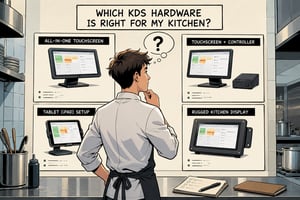
Everything you need to know about KDS hardware.
Read More
An extensive guide about using PoE in your kitchen.
Read More
Explore insights that help you improve performance.
Read MoreFrequently Asked Questions
Have more questions? Explore our complete FAQ page for additional information about Annoncer, integrations, hardware, and support.