

Choosing a KDS for fine dining restaurants.
In fine dining, kitchen performance is not measured by speed alone. Timing, communication, consistency, and attention to detail are equally important. Every dish must leave the kitchen at the right moment, every course must be coordinated across the table, and every dietary requirement must be clearly understood.
Traditional kitchen printers can communicate what has been ordered, but they provide limited support for managing the complete service. A Kitchen Display System gives chefs a real-time overview of orders, courses, tables, timings, and changes throughout the evening.
However, a KDS designed for fast food or takeaway service may not support the complexity of a fine dining restaurant. In this guide, we explain what to consider when choosing a KDS for a fine dining operation.
Why fine dining restaurants need a specialised KDS.
Fine dining service involves more than preparing individual dishes as quickly as possible. The kitchen must coordinate multiple courses, account for preparation times, respond to changes, and ensure that everyone at the table is served together.
A single table might include:
- Several courses
- Different menu choices
- Wine or beverage pairings
- Dietary requirements and allergies
- Changes requested during service
- Dishes prepared across multiple kitchen sections
- Guests eating at different speeds
The KDS must help the kitchen manage this complexity without overwhelming chefs with information.
If you are still exploring the basics, visit our everything you need to know about Kitchen Display Systems-page, which contains guides on how Kitchen Display Systems work and how they support modern hospitality operations.
The right KDS should support the rhythm of your restaurant. It must give chefs control over service while keeping communication between the kitchen and front of house clear and structured.
1. Course management.
Course management is one of the most important differences between a fine dining KDS and a basic order display.
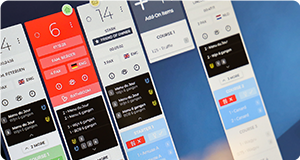
Orders should be organised by table and course rather than displayed only as individual tickets. The kitchen must be able to see what has been ordered for each course, which dishes are being prepared, and what is still to come.
Look for a KDS that supports:
- Multiple courses per table
- Flexible course numbering
- Tasting menus
- À la carte orders
- Additional or intermediate courses
- Course changes during service
- Clear hold and fire instructions
- Automatic or manual course progression
The system should reflect the way your restaurant operates. It should not force your kitchen to adapt to an inflexible ordering structure.
2. Table-level overview.
Fine dining kitchens need to understand the complete table, not just the next dish that needs to be prepared.
A good KDS provides an overview of every table and its current position in the service. Chefs should be able to see how many guests are seated, which menu they selected, which course they are eating, and what the kitchen will need to prepare next.
This allows the chef or expediter to anticipate upcoming work instead of reacting only after a course has been called.
3. Hold, fire, and preparation controls.
The kitchen must remain in control of when preparation begins.
A KDS should support clear instructions for holding and firing courses. When front of house calls the next course, the appropriate kitchen sections should be notified immediately.
More advanced systems can distinguish between different stages, such as:
- Ordered
- On hold
- Preparation started
- Ready at section
- Ready to plate
- Ready for service
- Served
These stages give the expediter a more accurate view of progress and reduce the need for repeated verbal updates.
4. Synchronisation between kitchen sections.
A fine dining dish may involve components prepared by several sections. The meat may come from the grill, the sauce from the saucier, and the garnish from another chef. All elements must arrive at the pass at the right time.
The KDS should route information to the relevant sections while maintaining a complete overview at the pass. Each section needs to know what to prepare, but also how its work relates to the rest of the table.
Look for features such as:
- Configurable preparation stations
- Shared timing information
- Status updates between stations
- Notifications when related components are ready
- A complete overview for the chef or expediter
- Different preparation lead times for individual dishes
The goal is not to remove communication from the kitchen. It is to make that communication more precise and reduce unnecessary shouting, checking, and repetition.
5. Clear allergy and dietary information.
Dietary requirements are particularly important in fine dining because dishes often contain multiple components, garnishes, sauces, and preparation methods.
Allergy information should be immediately visible and difficult to overlook. It should follow the order through every relevant kitchen station and remain connected to the correct guest, seat, dish, and course.
Consider whether the KDS can display:
- Allergies
- Intolerances
- Dietary preferences
- Ingredient exclusions
- Preparation instructions
- Cross-contamination warnings
- Guest-specific notes
Critical information should not be hidden behind a button or displayed in the same way as an ordinary preference. The system should clearly distinguish between a serious allergy and a simple request.
A KDS can improve the visibility of dietary information, but it does not replace proper allergen procedures, staff training, or verification.
6. Seat positions and guest-level information.
In many fine dining restaurants, it is not enough to know which table ordered a dish. The service team must also know which guest should receive it.
Seat-position support allows dishes, dietary requirements, and special requests to remain connected to the correct guest. This can help prevent auctioning dishes at the table and allows service staff to present each course with confidence.
If guest information is available through a reservation or CRM system, the KDS may also be able to display relevant preferences or previous visit information. This should always be presented selectively, so the kitchen sees only what is useful during service.
7. Integration with the POS and reservation system.
A fine dining KDS should integrate closely with your Point of Sale system. Orders, changes, cancellations, course instructions, and special requests must reach the kitchen accurately and without delay.
Integration with the reservation system can add valuable context before the first order is placed. The kitchen may be able to see:
- Expected number of covers
- Arrival times
- Table allocations
- Tasting-menu selections
- Dietary requirements
- Special occasions
- VIP or returning guests
- Operational notes
This helps the kitchen prepare for the service ahead, rather than discovering important information only when a table is seated.
Before choosing a KDS, confirm exactly which information is exchanged between systems. The fact that two platforms “integrate” does not necessarily mean that every field or workflow is supported.
8. Support for menu changes and substitutions.
Fine dining menus change regularly. Ingredients may be unavailable, dishes may evolve during a season, and chefs may introduce specials or substitutions before or during service.
Your KDS should make it easy to update:
- Menus and dishes
- Kitchen routing
- Course structures
- Ingredients and allergens
- Station responsibilities
- Service instructions
Small operational changes should not require a lengthy technical project. At the same time, permissions should prevent unauthorised employees from changing critical configurations.
9. A calm and readable interface.
A fine dining kitchen is already a demanding environment. The KDS should create clarity rather than add another source of visual noise.
Screens must show enough information to support complex service without becoming crowded. Colours, notifications, and animations should be used carefully, with the most urgent information receiving the most attention.
During a demonstration, evaluate whether the system allows your chefs to answer these questions at a glance:
- Which tables are currently active?
- Which course is each table eating?
- What needs to be prepared next?
- Which courses have been fired?
- Are any sections falling behind?
- Which orders contain allergies or special instructions?
- Which dishes are ready for the pass?
If it takes several screens or clicks to answer these questions, the interface may be too complicated for live service.
10. Professional kitchen hardware.
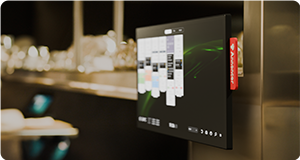
Fine dining kitchens expose equipment to heat, steam, grease, moisture, and frequent cleaning. Hardware should be selected for these conditions.
Consider:
- Screen size and viewing distance
- Brightness and viewing angles
- Touchscreen or bump-bar operation
- Resistance to moisture, dust, heat, and grease
- Cleaning requirements
- Mounting options
- Cable management
- Placement around the pass
- Availability of spare or replacement units
The most expensive screen is not automatically the best choice. Positioning, readability, durability, and ease of operation are more important than specifications alone.
Consider the complete service journey.
A fine dining KDS should support the full progression of a table, from preparation before arrival to the final course.
A typical journey could look like this:
- The reservation system provides the expected covers and known dietary requirements.
- The guests arrive and are seated.
- Front of house confirms menu choices and seat positions.
- The POS sends the order to the KDS.
- The kitchen reviews the complete table and its courses.
- Front of house or the chef calls the next course.
- The relevant sections begin preparation.
- The expediter monitors progress and coordinates plating.
- The course is completed and served.
- The kitchen prepares for the next stage of the table.
Each transition should be visible and clearly communicated. The aim is to create one coordinated flow between the dining room, kitchen sections, and pass.
Timing without rushing the guest.
Timing data is valuable in fine dining, but it must be interpreted differently from quick-service operations.
The shortest preparation time is not always the best result. Guests may want a relaxed experience, tables can require different pacing, and some dishes simply need more preparation time.
A fine dining KDS should therefore help teams monitor rhythm and consistency, not simply encourage everyone to work faster.
Useful insights may include:
- Preparation time per dish
- Time between courses
- Time from fire to completion
- Delays by kitchen section
- Average table duration
- Number of covers by time period
- Performance by day or service
- Frequency of order changes or recalls
These insights can help identify bottlenecks, improve mise en place, refine staffing levels, and create more realistic reservation planning.
Reliability and support.
Once a KDS becomes part of the service, the restaurant depends on it. A technical problem during a full Saturday evening can affect every table in the restaurant.
Ask suppliers what happens if a screen, network connection, integration, or central service becomes unavailable. You should understand:
- Whether the system can continue operating during a connection problem
- How errors and integration failures are communicated
- Whether remote monitoring is available
- What support is available during evenings and weekends
- How quickly replacement hardware can be supplied
- How updates are tested and installed
- Which fallback procedure the supplier recommends
Fine dining restaurants often operate outside normal office hours. Support should therefore be available when your restaurant actually needs it.
Questions to ask during a KDS demonstration.
A demonstration should use a realistic version of your own service. Ask the supplier to show a table with multiple courses, dietary requirements, last-minute changes, and dishes prepared across different kitchen sections.
Useful questions include:
- How are tasting menus displayed?
- Can à la carte and tasting-menu orders be combined at one table?
- How are courses held and fired?
- Can we change the order of courses during service?
- How are seat positions displayed?
- Can allergies be made more prominent than preferences?
- What happens when one kitchen section falls behind?
- Can the chef see future courses before they are fired?
- How are additional dishes and substitutions handled?
- Can a completed course be recalled?
- How does reservation information reach the kitchen?
- What happens if the POS or network connection is interrupted?
- Can the system be adapted to our terminology and workflow?
Avoid demonstrations built around simple, single-course orders. They do not show whether the system can manage the complexity of a real fine dining service.
Common mistakes when choosing a fine dining KDS.
One of the most common mistakes is selecting a system designed primarily for quick service. These systems may be excellent at measuring ticket times but unable to manage courses, table pacing, seat positions, or complex kitchen coordination.
Other mistakes include:
- Treating the KDS as a digital replacement for a printer
- Focusing on individual dishes instead of complete tables
- Underestimating the importance of the expediter
- Displaying too much information on every station
- Failing to involve chefs and front-of-house employees
- Assuming all POS integrations provide the same functionality
- Using consumer hardware in a professional kitchen
- Focusing on speed instead of control and consistency
- Choosing a system that cannot adapt to your service style
The KDS should fit the restaurant’s way of working. Technology should support the chef’s vision, not dictate how the restaurant must run.
Choosing the right KDS partner.
Implementing a KDS in a fine dining restaurant requires more than installing screens. The supplier needs to understand courses, pacing, kitchen sections, the pass, dietary communication, and the relationship between front and back of house.
A strong KDS partner should help you analyse the current workflow, identify communication gaps, configure the system, select appropriate hardware, train the team, and support the restaurant after launch.
Ask for examples of comparable restaurants and involve the kitchen team early in the process. A KDS is most successful when its configuration reflects the language and rhythm already used during service.
From individual tickets to complete control.
A fine dining kitchen depends on nuance. The right dish must reach the right guest, as part of the right course, at exactly the right moment.
A Kitchen Display System cannot replace the experience and judgement of a skilled chef. It can, however, give the entire team a clearer picture of the service and ensure that essential information reaches the right person at the right time.
The result is not simply a faster kitchen. It is a calmer, more coordinated operation with greater control over timing, consistency, and the guest experience.
Want to learn more?
The ultimate guide to Kitchen Display Systems for restaurants and hotels.
Read More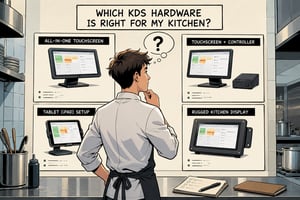
Everything you need to know about KDS hardware.
Read More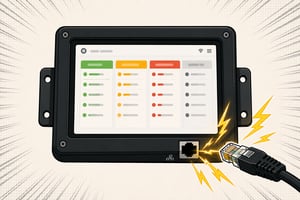
An extensive guide about using PoE in your kitchen.
Read More
Explore insights that help you improve performance.
Read MoreFrequently Asked Questions.
Have more questions? Explore our complete FAQ page for additional information about Annoncer, integrations, hardware, and support.