

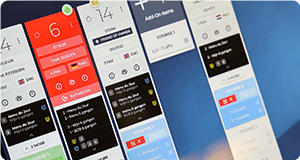

Kitchen Display System for restaurants and hotels.
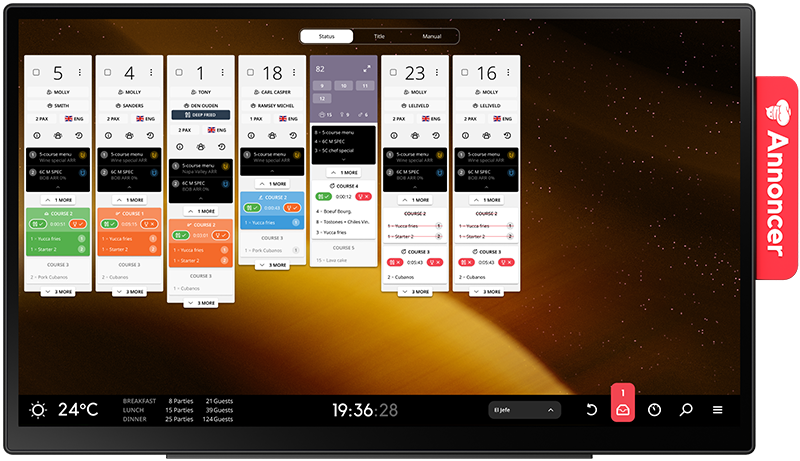
Annoncer connects kitchen and service teams with real-time information on orders, course timing and allergies. Giving your team the overview to keep every service running smoothly.


A kitchen management system for hospitality where timing matters.
During service, each station needs the right information at the right moment. Annoncer brings orders, course pacing and allergies into one real-time view, so teams can follow the same flow from preparation to the pass. This kitchen management system software is designed for restaurants and hotels that need to coordinate several dishes, courses and stations without losing sight of the guest experience.
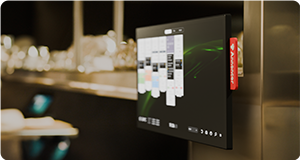
For a bistro, that may mean one shared screen. For a larger restaurant or hotel kitchen, it can mean multiple screens placed around the operation. In both cases, the aim is the same: give the team a clear view of timing and service.

More than a standard KDS.
A standard KDS displays kitchen orders. Annoncer adds the service context needed to manage the wider flow: course pacing, allergy information and a real-time overview at the station where the work happens. That makes it useful when a kitchen needs to coordinate the whole table, rather than treat each ticket as a separate task.
The result is a restaurant kitchen management system that supports the way professional hospitality teams work. Chefs can keep their attention on timing, the pass and the plate, while the team works from the same current information.

The Annoncer effect.

Reduce mistakes in service →

Keep kitchen and service teams informed with the same real-time information.

Keep track of course timing and maintain a clear overview throughout service.
Control your service flow →

Gain full guest visibility →

Spend less time coordinating service and more time focusing on food and guests.
Focus on what matters →

Gain insight into your service flow and improve performance based on real data.
Explore service insights →


A screen setup that fits your kitchen.
Every kitchen has its own layout, stations and service rhythm. Annoncer can be used on one screen or across multiple screens, allowing the setup to follow the way information needs to move through the kitchen. A compact restaurant may need one central view, while a larger operation may need separate views at different stations.
Choose the number and placement of screens around the work your team performs. Add verified hardware models, technical specifications and mounting options here only after the current range has been confirmed.
One service view for every role around the kitchen.

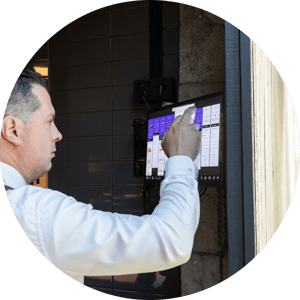
Keep orders, course pacing and allergies visible where decisions are made. The shared view supports control over timing and the pass throughout service.
Read More
Give the operation a consistent way to follow the flow of service, whether the kitchen works from one screen or several stations.
Read More
See how a kitchen management system can support the working method of a bistro, restaurant, fine dining operation or hotel kitchen.
Read More
Assess the required screen setup and confirm current integrations, infrastructure and support arrangements with the Annoncer team before implementation.
Read MoreUsed in real kitchens.
Explore how restaurants and hotels use Annoncer during service, from a single shared screen to workflows across several stations. Each case should explain the starting situation, the screen setup, the service challenge and the verified operational result. Publish only customer names, figures and outcomes that have been approved and can be traced to a current case study.


"We save the equivalent of one full-time employee a day."
"We save the equivalent of one full-time employee a day."
Read more about 1910



"30 minutes saved per day."
"30 minutes saved per day."
Read more about El Puente
What chefs say about Annoncer.

Full focus on what matters
“Annoncer helps us perfect kitchen organization and the flow of service; this way, we can fully focus on what really matters: letting guests enjoy top-quality products in a relaxed atmosphere.”

A necessary tool
“Annoncer is a perfect tool that has become a necessary tool.”

Calm and control in the kitchen
"Annoncer brings calm and an overview to our kitchen, allowing us to fully focus on creativity and the guest experience."

A system we can’t work without
"Annoncer is the best thought through and most stable restaurant software I have ever seen. It is simply the best. Installation and training was well prepared and swift. The productivity gains are substantial and we could not imagine to work without it."

Essential
“I can't do without it anymore!”

The heart of the kitchen
“The Annoncer screen is the beating heart of the kitchen, where communication comes together and service begins.”

From skeptical to convinced
“I was classically trained using handwritten tickets and was skeptical at first… but Annoncer convinced me with a smoothly operating system that has only had positive results for both the kitchen and front of house!!!”

Efficient and easy to use
“At Shun, we work with Annoncer as our kitchen management system. An efficient and easy way to offer our guests the best possible experience!”

Structure in every service
"Annoncer brings structure to our service, so we can fully focus on what matters: experience, taste and hospitality."

Seamless flow and communication
“Annoncer has been paramount in our communication system. The food ticket display orchestrates the flow of orders seamlessly, harmonising kitchen operations and server communication, elevating efficiency, and ensuring that the chefs focus on every dish instead of the pass flow. That perfect tempo increased our culinary performance.”

Full control, fewer errors
"Annoncer's Kitchen Monitoring system is a revolutionary tool that not only minimizes errors but also enhances efficiency and quality in the kitchen. With its intuitive application, it provides us chefs the ability to monitor and optimize operations seamlessly. This prevents potential points of contention as actions are easily traceable. Thanks to Annoncer's system, we can focus entirely on cooking without worrying about oversight."

More efficient kitchen operations
“The software has significantly improved our kitchen operations by optimizing order tracking, reducing preparation errors, and enabling seamless coordination among the kitchen team. As a result, our workflows are more efficient and overall productivity has increased.”
From separate tickets to one shared service view.
Paper tickets
Orders are divided across individual tickets. Course timing and allergy information may need to be checked in other places, making the wider table and service flow harder to see at a glance.
Annoncer
Orders, course pacing and allergies come together in real time at the relevant station. The team can work from one shared view of timing and the pass, using one screen or several screens according to the kitchen setup.

