
What is a Kitchen Display System?
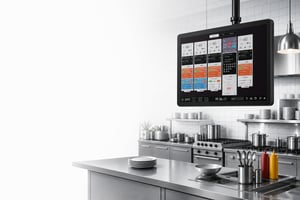
If you are looking for an answer to “what is kitchen display system”, it is software that shows orders on screens in the kitchen. A kitchen display system (KDS) typically receives orders from a point of sale (POS) system, giving chefs a digital view of what needs to be prepared.
Instead of printing paper tickets, orders appear instantly on dedicated kitchen displays where chefs can:
- View incoming orders
- Prioritise dishes
- Track preparation times
- Mark items as completed
- Coordinate multiple kitchen stations
- Communicate service status with front of house
With orders available digitally, kitchen teams have a clearer overview of what needs to be prepared and can coordinate their work more easily. Whether you're running a neighbourhood restaurant, a Michelin-starred kitchen or a large hotel operation, a kitchen display system helps keep everyone informed during service.
What does KDS stand for?
KDS stands for kitchen display system. It combines software with one or more screens so kitchen teams can see order information digitally.
A KDS typically receives orders from the POS. Depending on the system, chefs can use the screens to see incoming dishes, follow their progress and coordinate work between stations. Some systems also make service information available to front of house.
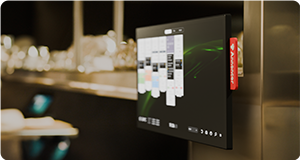
The screens are the visible part of the system. The software determines what information appears and how your team can work with it. Features differ between providers, so consider how a system supports your menu, stations and service style.
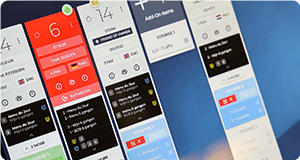
Annoncer brings orders, course timing and allergy information together in real time at the right station. Explore Annoncer software.
How does a Kitchen Display System work?
A kitchen display system typically connects to the restaurant’s POS and follows an order through service. The exact workflow depends on the system and the way your team works.
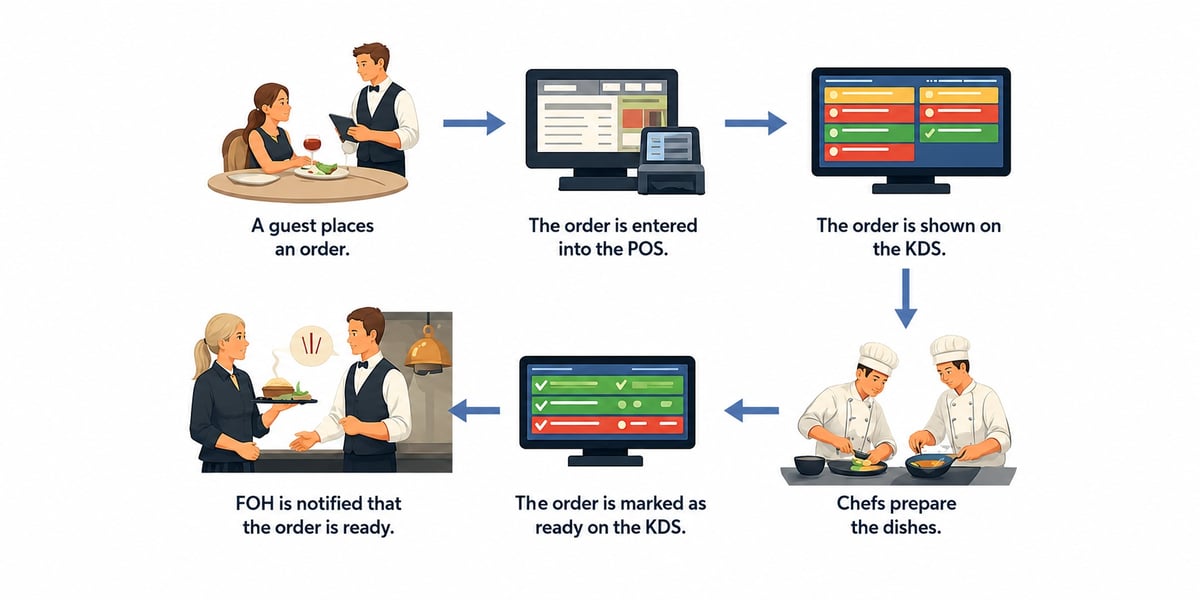
- The guest orders. A member of the front-of-house team enters the order into the POS.
- The order is sent to the kitchen. The POS passes the order information to the kitchen display system.
- Each station sees its work. The relevant dishes appear on the appropriate screen or screens.
- Chefs prepare the dishes. The kitchen team works from the information shown at each station.
- The team updates the status. Depending on the system, chefs can mark dishes or courses as ready.
- Front of house receives an update. Where supported, the service team can see when dishes are ready to be collected.
Annoncer also brings course timing and allergy information into the workflow. This helps the kitchen and front of house coordinate the next step for each table.
Key features of a Kitchen Display System.
A quick-service kitchen and a fine dining restaurant do not necessarily need the same setup. When choosing a kitchen display system, look at how each feature supports your menu, your stations and the way your team communicates during service.
Features vary between providers, but these are useful areas to consider:
Why restaurants use a Kitchen Display System.
During a busy service, kitchen and front-of-house teams need a clear view of what has been ordered and what is ready to serve. A kitchen display system brings that information onto screens, helping teams organise their work and communicate updates without relying solely on paper tickets.
Depending on the system and the operation, a digital workflow can help teams:
- Keep order information visible at the relevant kitchen stations
- Track the progress of dishes during service
- Coordinate timing between courses
- Share updates between the kitchen and front of house
- Reduce reliance on printed kitchen tickets
- Review service information afterwards, where reporting is available
The priorities differ from kitchen to kitchen. A restaurant serving several courses may focus on timing and allergies across a table. A kitchen handling quick orders may place more emphasis on order status and speed.
See how hospitality teams use Annoncer in our restaurant and hotel case studies.
How much does a KDS cost?
The cost of a kitchen display system depends on the software, hardware and setup your operation needs. The number of screens is one consideration, but it is not the only one. Before comparing quotes, look at where screens will be placed, what infrastructure is already available and what support your team needs during implementation.
Ask each supplier for a breakdown of the following costs.
Screens and hardware
A KDS needs hardware on which the software can run. Depending on the system, this may involve a dedicated kitchen screen, a tablet or a screen connected to a separate computer.
Think about where each screen will be used and what size is practical for the team working there. Check that the hardware is compatible with the software and suitable for the conditions in your kitchen. A screen at the pass may have different requirements from one at a compact preparation station.
Explore Prestige kitchen screens or read the kitchen display hardware guide.
Software
Software costs and licence models vary between suppliers. Some providers charge a recurring subscription, while others may offer a different licensing arrangement. When comparing options, check what is included in the price and whether the cost changes with the size of your setup.
Also ask which functions, updates and support are included. This will help you compare the full offering rather than the initial software price alone.
For Annoncer, the software fee is monthly and based on the number of clients you run. See how Annoncer pricing works.
Implementation
Implementation can include configuring the software, setting up hardware and training the people who will use the system. The work involved depends on the size of the operation, the existing setup and the services included by the supplier.
Before accepting a quote, ask what the implementation covers, who is responsible for each part and what support is available when the system goes live. It is also useful to understand whether changes to the setup or additional training would be charged separately.
Network and power
Screens need a suitable power supply and network connection. The work required depends on the devices you choose and the infrastructure already available at each screen location.
Some devices support Power over Ethernet (PoE), which supplies power through a network cable. Whether this is an option depends on the hardware and the network equipment. Check these requirements before installation, especially when screens will be placed in different parts of the kitchen.
Read our guide to Power over Ethernet for kitchen displays.
Mounting
Consider how each screen will be positioned before finalising your budget. A wall, ceiling or worktop setup may be appropriate depending on the space and where the team needs to see the information.
Check that the screen and mount are compatible, and include installation work in the quote where needed. Screen placement should give the relevant team a clear view while fitting the available workspace.
Frequently asked questions.
In a restaurant, the KDS meaning is kitchen display system. The term refers to the software and screens used to share order information with the kitchen. Depending on the system, teams may also see order progress, course timing or dietary requirements. The information available and the way it is displayed vary between providers.
A POS is used to enter and manage sales and orders. A kitchen display system shows relevant order information to the kitchen so the team can prepare and coordinate dishes. The two systems can work together: an order entered into the POS is sent to the KDS for the kitchen team to see.
A KDS can replace printed kitchen tickets by displaying orders digitally. Whether a restaurant stops using printers altogether depends on its workflow and the system it chooses. Before deciding, consider how each station needs to receive orders, how the team will update their progress and whether printed tickets are still needed for any part of service.
Want to learn more?
The ultimate guide to Kitchen Display Systems for restaurants and hotels.
Read More
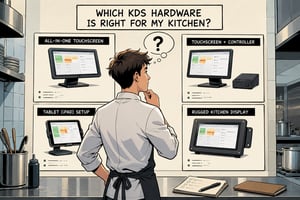
Everything you need to know about KDS hardware.
Read More
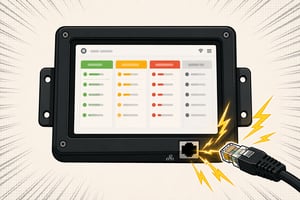
An extensive guide about using PoE in your kitchen.
Read More

If you are considering a KDS for your fine dining restaurant, make sure to check out this guide.
Read More